
Upgrading your Taskip plan gives you access to extra features and increased limits. Follow these steps:
Step 1: Go to Taskip and log in with your credentials.
Step 2: Go to Settings from the menu.
Step 3: Click Billing, and you’ll see your current plan details and available upgrade options.
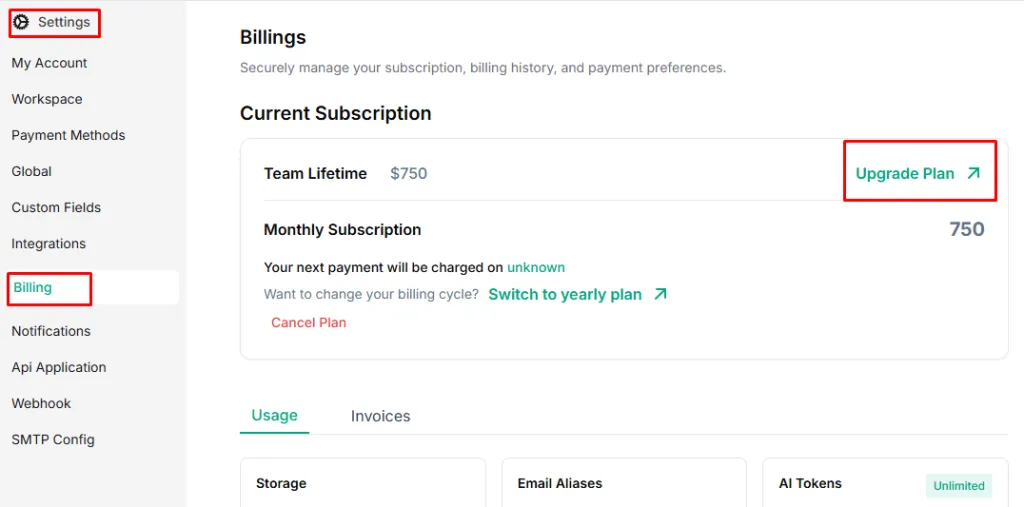
Step 4: Review the available plans and their features. Click Upgrade on the plan you want.
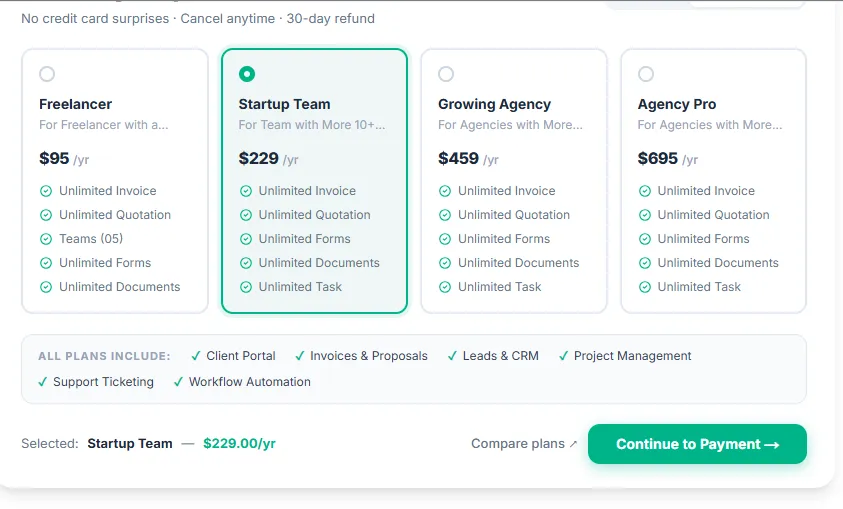
Step 5: Click Continue to Payment and provide your payment details.
Step 6: Click Confirm or Upgrade Plan. You’ll get a confirmation email, and new plan features will be applied immediately.