
The WhatsApp Integration in Taskip enables users to connect their WhatsApp account directly within the platform. It provides a unified messaging dashboard to manage personal and business conversations, collaborate with teams, and streamline client communication.
Purpose
- Centralize WhatsApp communication
- Manage personal and business chats in one place
- Enable team collaboration on conversations
- Convert chats into leads or contacts
- Improve response efficiency with AI assistance
Key Features
Unified Inbox
- Access all WhatsApp messages in one dashboard
- View conversation status: Open, Pending, Closed
Team Collaboration
- Assign chats to team members
- Add internal notes
- Use tags for organization
CRM Integration
- Convert chats into Leads
- Convert chats into Contacts
- Link conversations with existing records
AI Assistance
- Generate conversation summaries
- Draft AI-assisted replies
- Improve response speed and clarity
Rich Messaging Support
- Text messages
- Images
- Voice notes
- Videos
- Documents
- Audio files
- Emojis
Supported Accounts
- Personal WhatsApp
- Business WhatsApp
Activation Flow
Step 1: Access WhatsApp Module
Navigate to:
Left Menu → WhatsApp
ORSettings → Integrations → WhatsApp
Step 2: Activate WhatsApp
Click Activate WhatsApp Inbox to start setup.
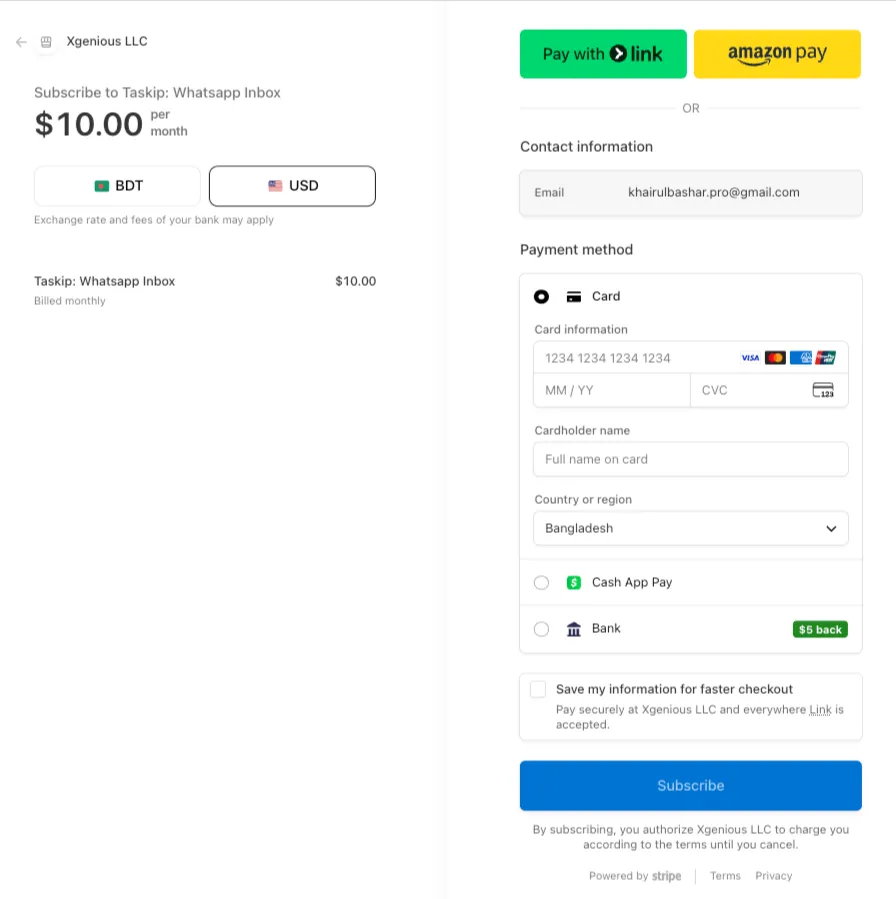
Step 3: Complete Payment
- Pay $10/month subscription
- Unlock integration features
Step 4: Connect Account
- Scan QR code
- Connect your WhatsApp account
Step 5: Access Dashboard
After successful connection:
- WhatsApp dashboard becomes available
- Start managing conversations
Dashboard Features
Contacts and Status
- View all contacts
- Filter by:
- Open
- Pending
- Closed
Conversation Management
- Assign chats to team members
- Add tags for categorization
- Add internal notes
CRM Actions
- Convert chats into Leads
- Convert chats into Contacts
AI Tools
- Generate conversation summaries
- Create AI-assisted responses
6.5 Messaging
Supports:
- Text
- Voice
- Images
- Video
- Documents
- Audio
- Emojis
Pricing
| Plan | Price |
|---|---|
| WhatsApp Integration | $10/month |
- Flat pricing
- Supports personal and business accounts
- No hidden charges
System Behavior
- Integration requires active subscription
- QR connection links WhatsApp account
- Conversations sync in real time
- Messages are managed inside Taskip
- AI features assist but do not auto-send messages
Use Cases
- Manage customer support via WhatsApp
- Handle sales conversations
- Assign chats to team members
- Track and convert leads
- Improve response time using AI
Best Practices
- Assign conversations to responsible team members
- Use tags to organize chats
- Add notes for internal communication
- Use AI suggestions for faster replies
- Regularly monitor conversation status
Summary
The WhatsApp Integration in Taskip provides a powerful, centralized communication system that combines messaging, collaboration, and CRM capabilities. It enables teams to manage conversations efficiently, improve response times, and streamline client communication from a single unified dashboard.