
How to Add a New Lead Source
You can customize lead sources in Taskip to track where your leads are coming from:
- Go to Taskip > Leads and click Create Lead.
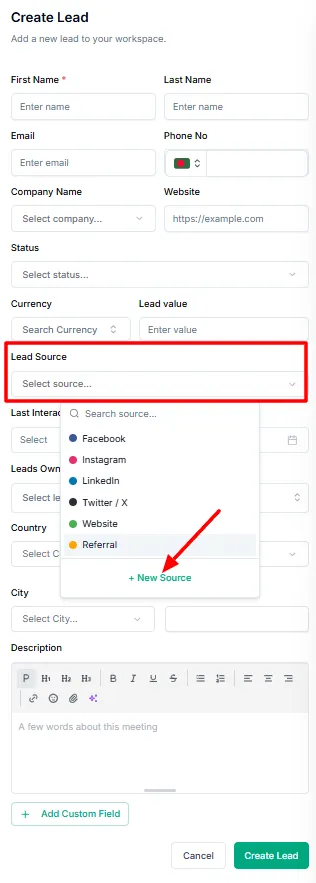
- In the lead creation form, scroll down to the Lead Source section.
- By default, you will see options like Facebook, Instagram, etc.
- Click New Source to add a custom source.
- Enter the Source Name and choose a Color for easy identification.
- Click Save to add the new lead source.
Your new source will now appear in the Lead Source dropdown when creating or editing leads.