
The Delete Lead action allows you to permanently remove a lead that is no longer relevant or needed in your system.
When to Use
Delete a lead when:
- The lead is no longer valid or relevant
- It is a duplicate entry
- The lead has been incorrectly created
- It will not be converted or pursued
How to Delete a Lead
- Go to Taskip > Leads.
- Find the lead you want to delete.
- Click the three-dot menu (⋯) on the right side of the lead
- Select Delete Lead
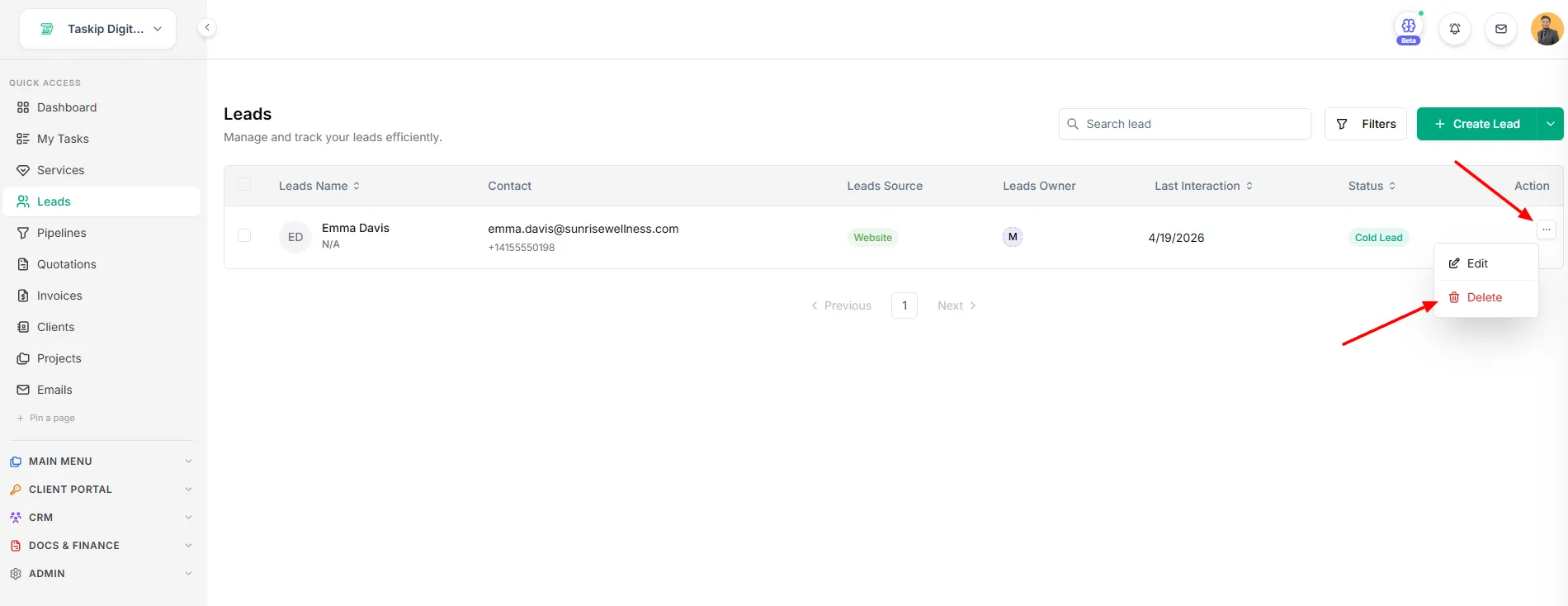
Before deletion, the system will ask for confirmation to prevent accidental removal.
Important Notes
- Deleting a lead is permanent and cannot be undone
- All associated data (notes, files, history) will be removed
- This action should be used with caution
Best Practices
- Double-check before deleting a lead
- Use filters to identify duplicates instead of deleting blindly
- Consider converting or archiving leads before deletion (if needed)